
Appointments and client context
Bring scheduled coreplus appointments into Dorsum so each consultation starts with the right client context.
Dorsum connects with coreplus across the consultation workflow—syncing appointments, bringing investigations into context, creating clinical outputs, and helping automate what happens next.
Dorsum connects the work around each consultation—from scheduled appointments and client context to recording, investigations, notes, letters, and the next operational task.
Start with the workflows you need now, then personalise templates and add automations as your practice evolves. For more bespoke requirements, the Dorsum team can help shape the setup with you.
What you can do
Bring scheduled coreplus appointments into Dorsum so each consultation starts with the right client context.
Record a consultation or start a standalone dictation, then turn it into structured, editable clinical outputs.
Search and link relevant pathology and imaging results so notes and letters carry clearer clinical context.
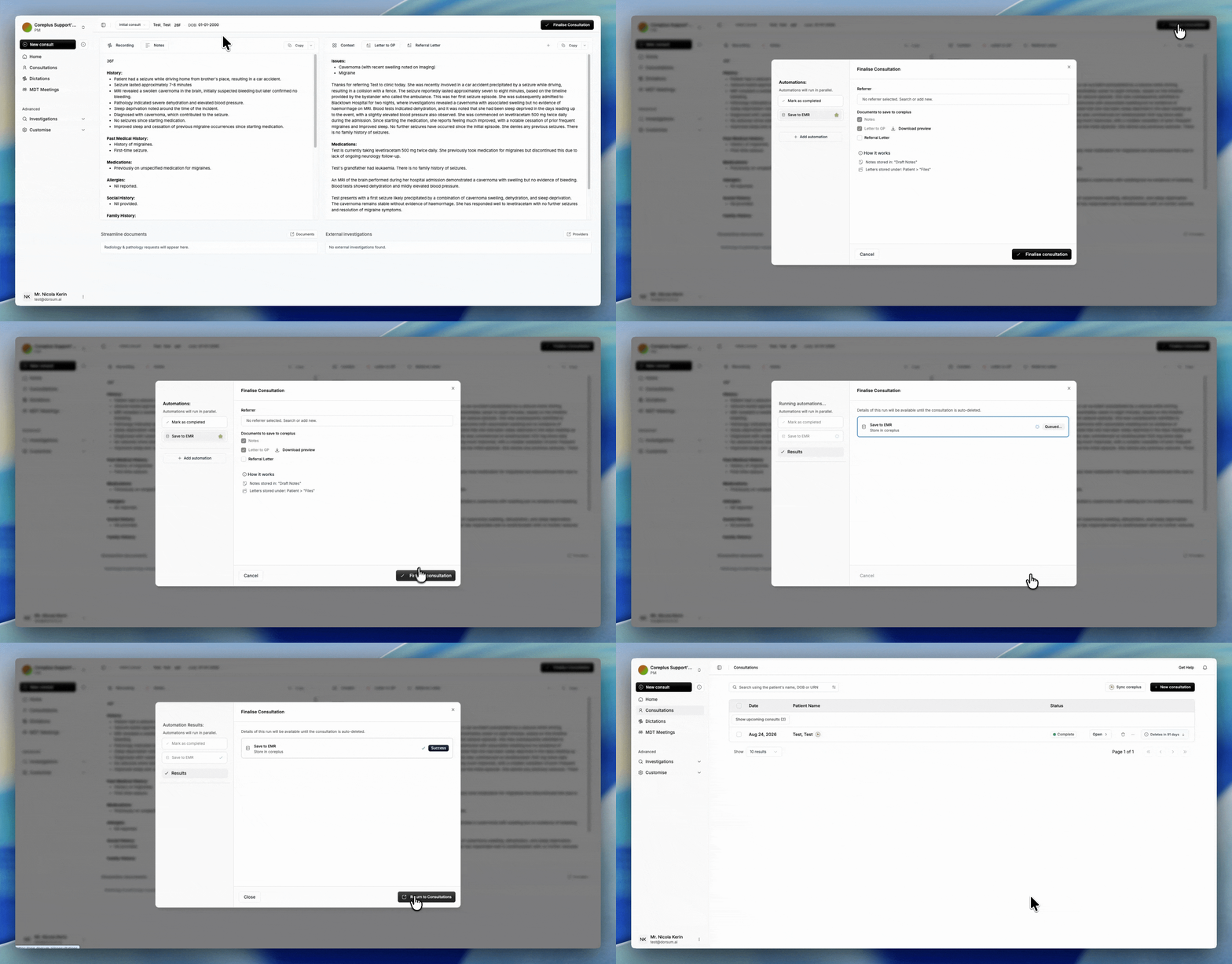
Create the documentation you need, review it, and save selected notes and letters back to the coreplus client record.
Trigger practical next steps such as GP letters, faxing, follow-ups, and admin tasks from consultation events.
Personalise templates, outputs, and workflows by practitioner, team, or specialty—with Dorsum's help where needed.
How it works
Keep clinicians in control while connected workflows reduce the manual hand-offs around each encounter.
Enable the Dorsum add-on in coreplus, validate your secure access token, and select your practitioner profile.
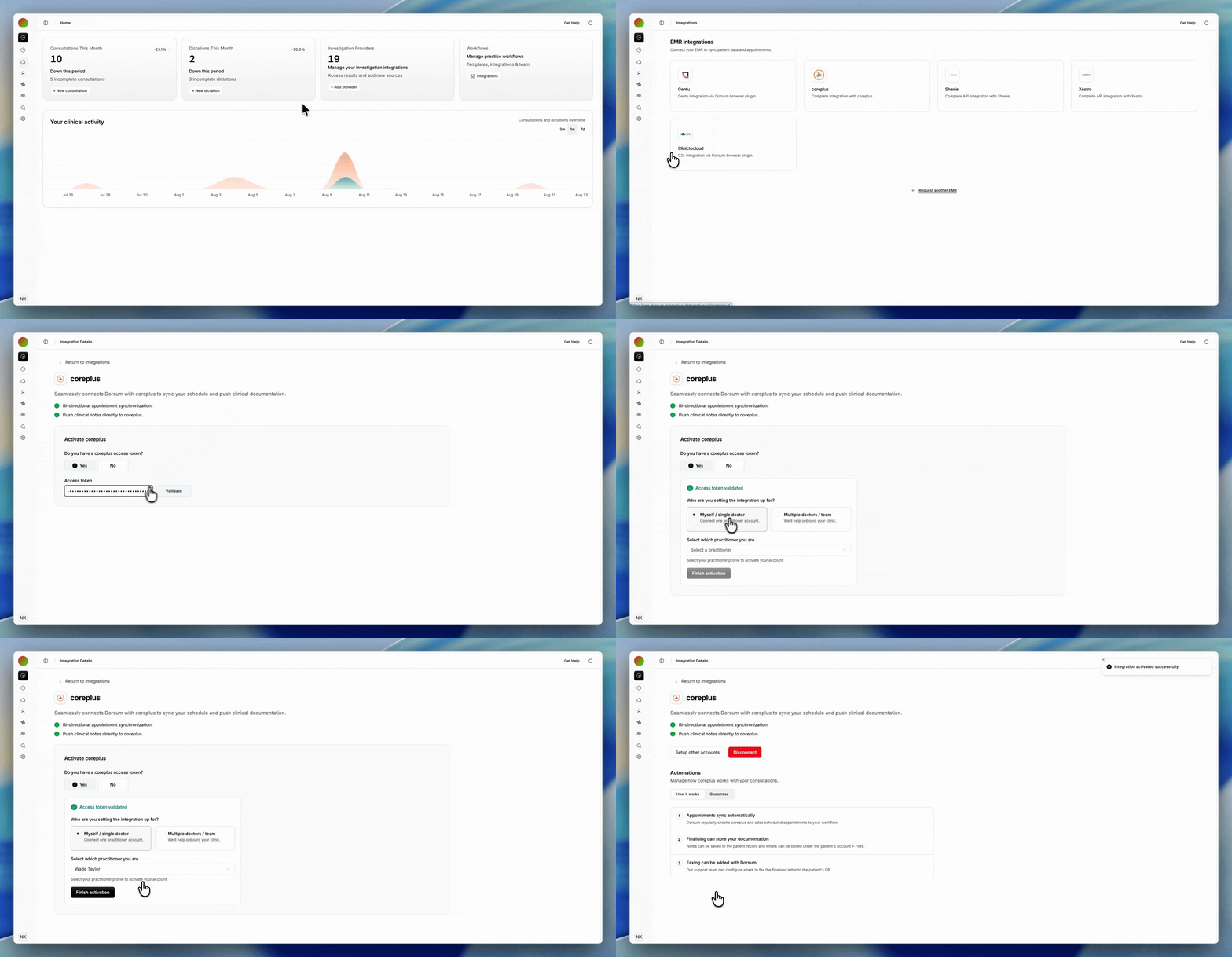
Sync appointments and bring the right client context into Dorsum before the consultation begins. By default, Dorsum automatically syncs with coreplus every 3 hours.
Record, dictate, review investigations, and create the clinical outputs needed for that encounter.
Review what Dorsum prepared, save selected outputs to coreplus, and run the next workflow or automation.
Setup that fits your practice
Choose the pathway that best matches your practice to see how Dorsum can help.
Get connected