Summary
Open a patient’s timeline to move between consultations, dictations and available results. Choose a template for the visit and adjust the sections and wording to suit how you document care.
You can now review pathology alongside radiology from connected providers. The integration library also brings together setup guides for supported EMRs, results providers and electronic requests.
A clearer workspace
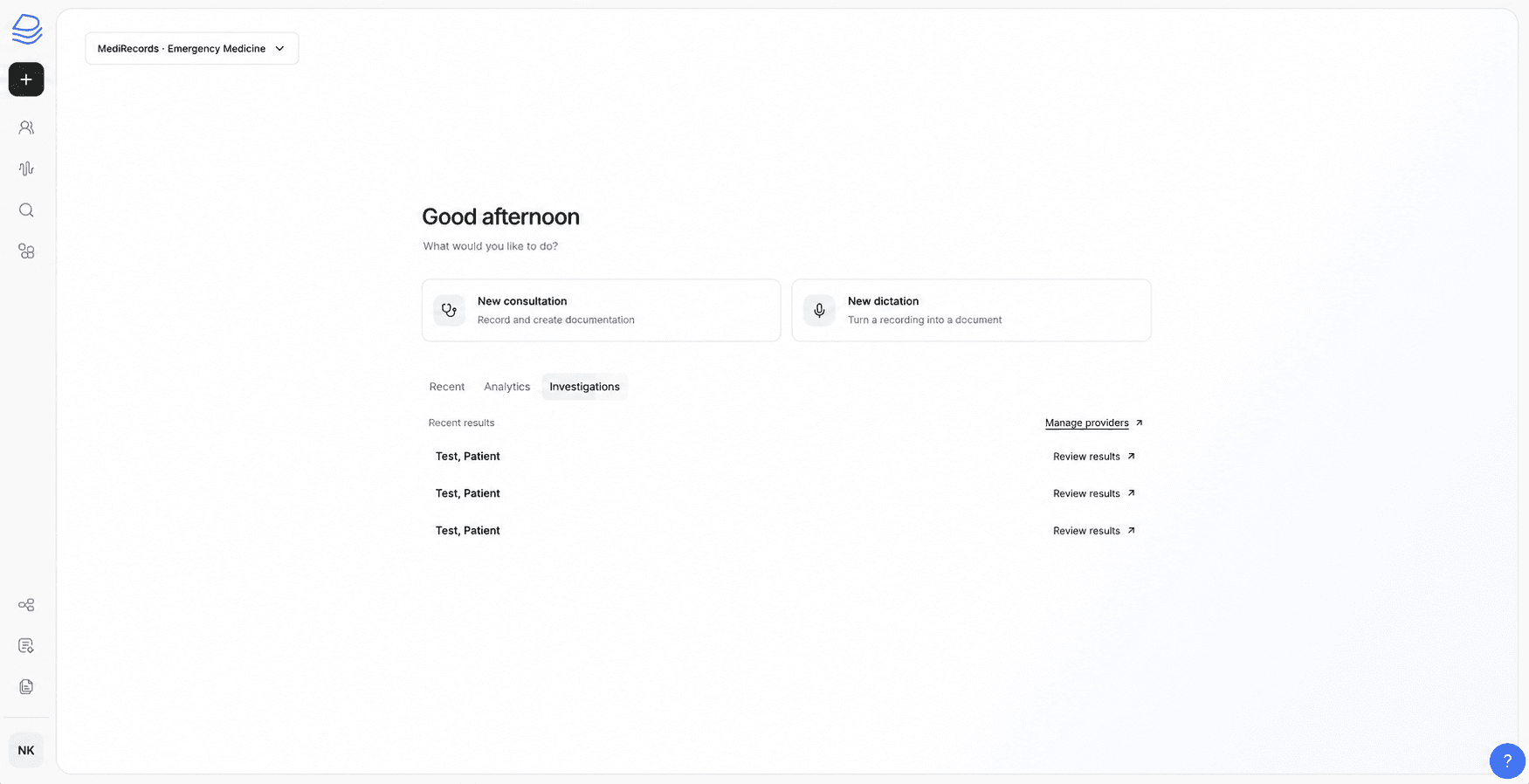
Start a consultation or dictation from the home screen, or return to existing work through the sidebar. A patient’s consultations and dictations now sit together in one timeline.
You can move around Dorsum while a consultation is recording or documents are being prepared, then return to the active consultation. Workflows let you set the usual documents and defaults for initial and follow-up visits.
Working with your EMR
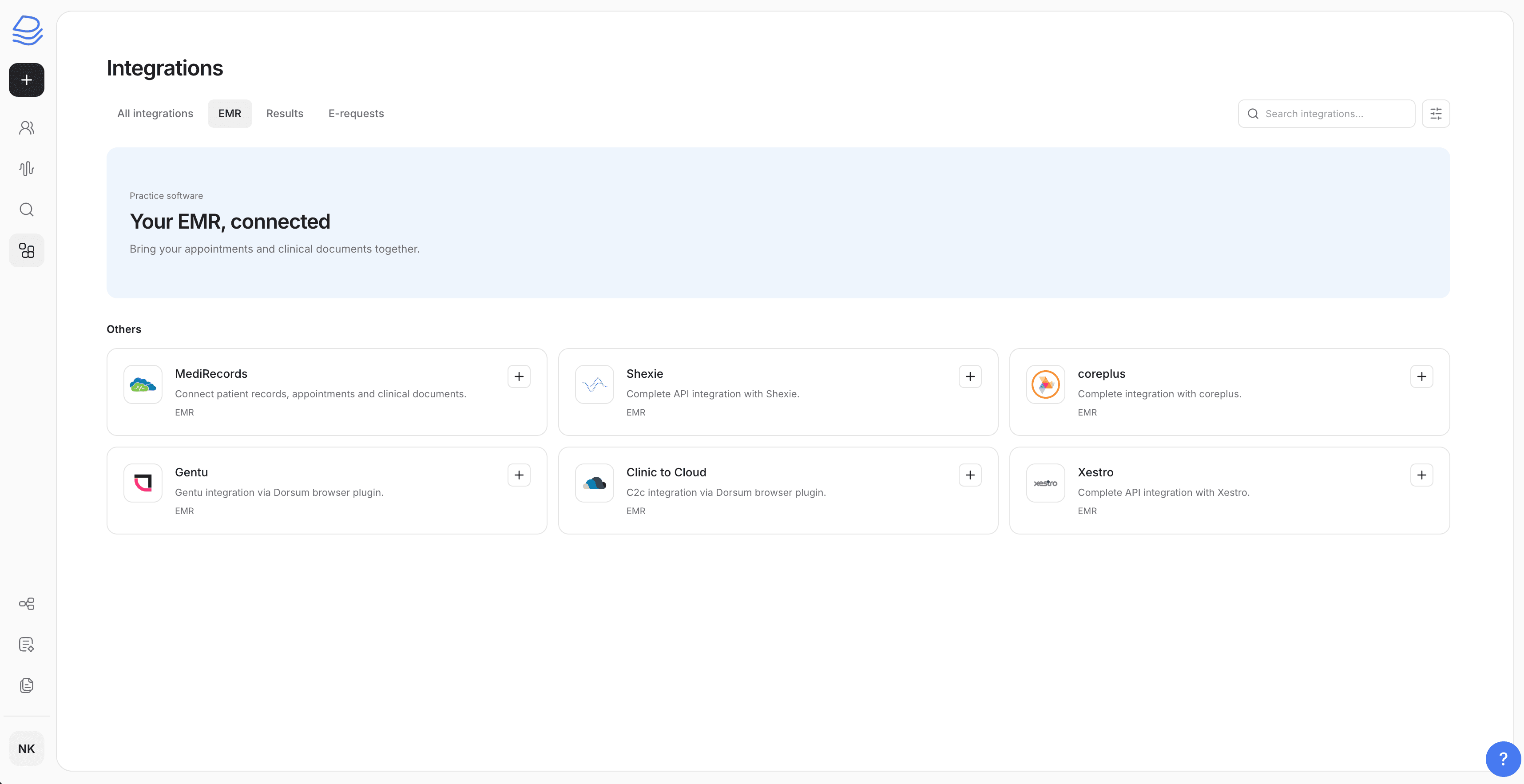
Depending on your EMR, you can bring appointment or patient details into Dorsum and save reviewed notes or letters back to the patient record.
Choose your system in the integration library to see how to connect it, which documents you can save and where they appear in the record.
Access to external results expanded
Radiology and pathology results are available from the patient’s results tabs, with no need to start a consultation just to look up an investigation.
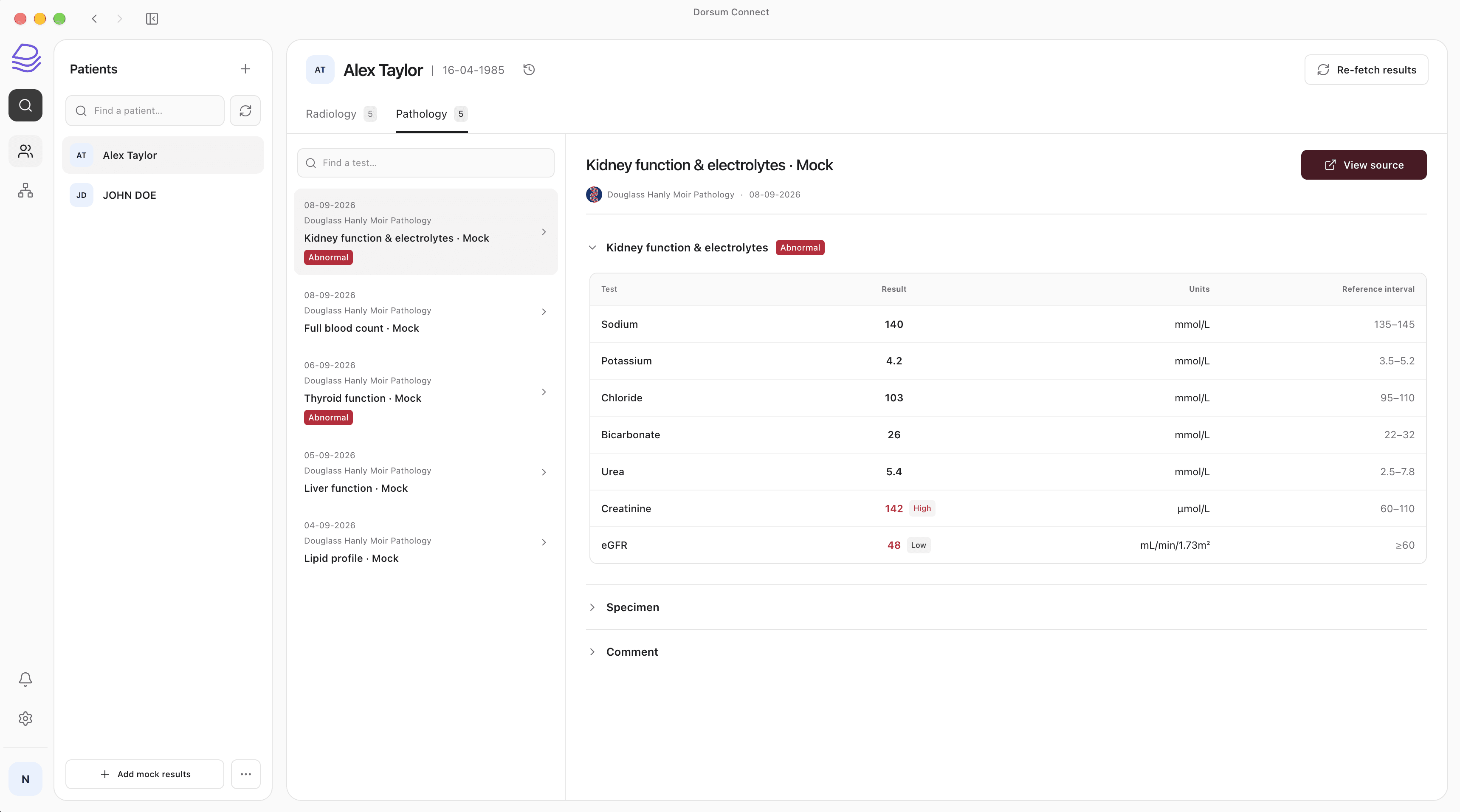
Pathology access added
Pathology is now available alongside radiology. Review test groups, values, units, reference ranges and flags where the provider supplies them.
For most clinicians, initial pathology access covers results they have ordered. Access to other results requires additional setup with the provider. Contact support@dorsum.ai for the steps that apply to your provider.
Reports and images in one place
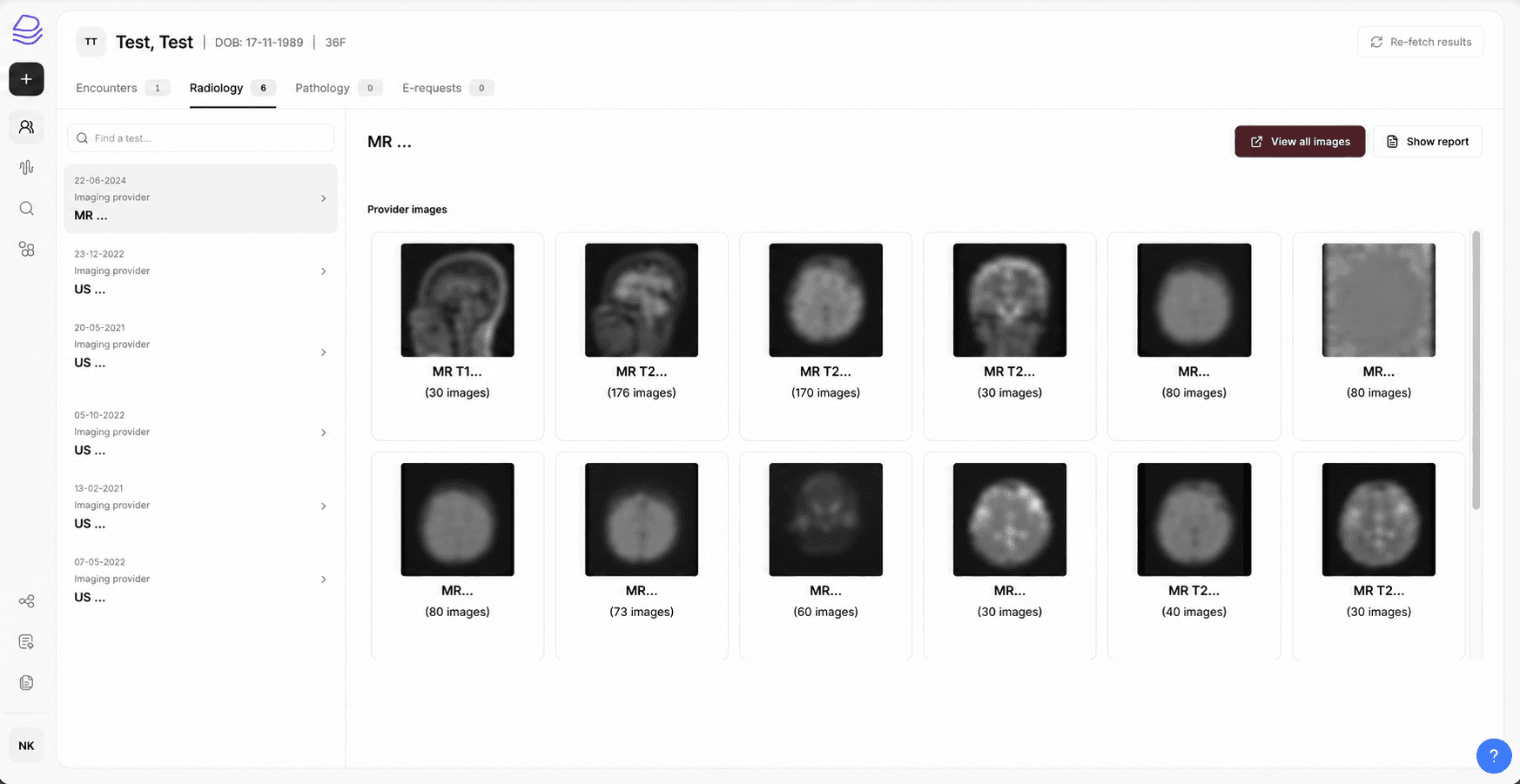
Open a result to read the report, browse available image previews or go directly to the provider’s full image viewer. The report and viewer links sit together, so you do not have to find the study again on a separate provider site.
Dorsum Connect desktop
Dorsum Connect retrieves and displays reports on your computer without uploading them to Dorsum’s servers. Your provider connections run through the desktop app.
If you choose to add a report to a consultation, that selected report text becomes part of the consultation.
More control over your templates
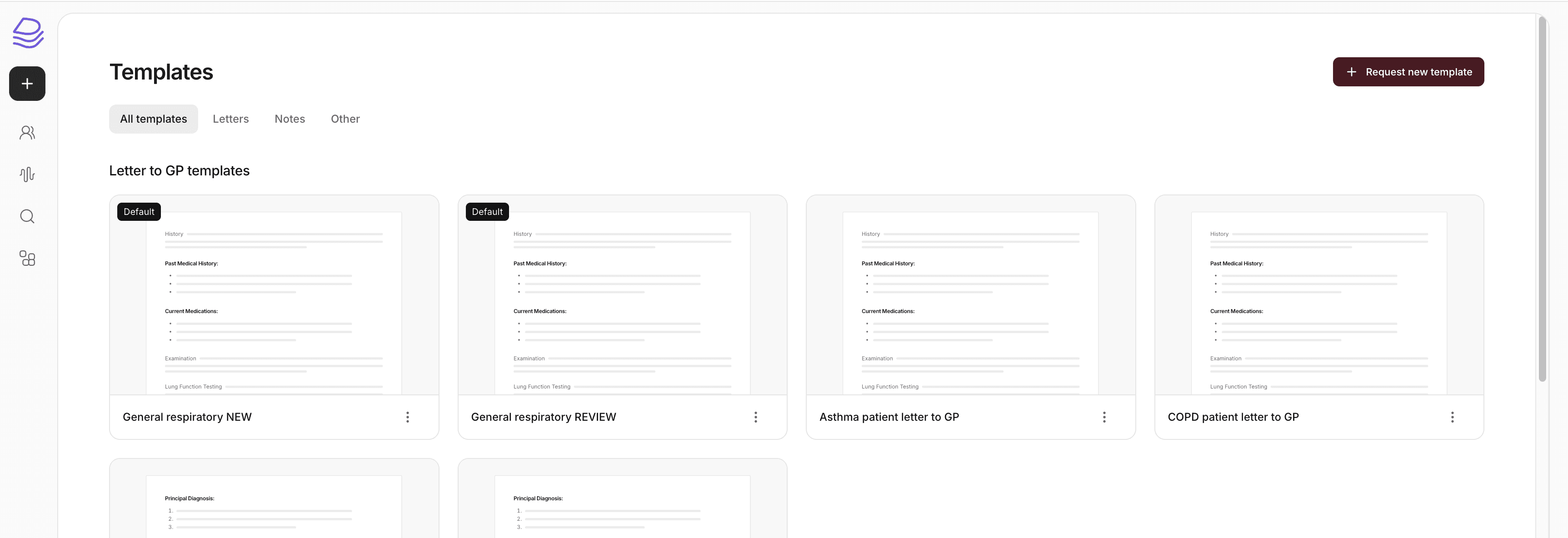
The expanded library gives you more starting points for notes and letters. Adjust the available sections, their order, formatting and writing instructions to suit the document you want to produce.
Use Workflows to set the usual documents for consultations and dictations, including different defaults for initial and follow-up visits. These preferences shape future drafts; you still review and edit the final document.
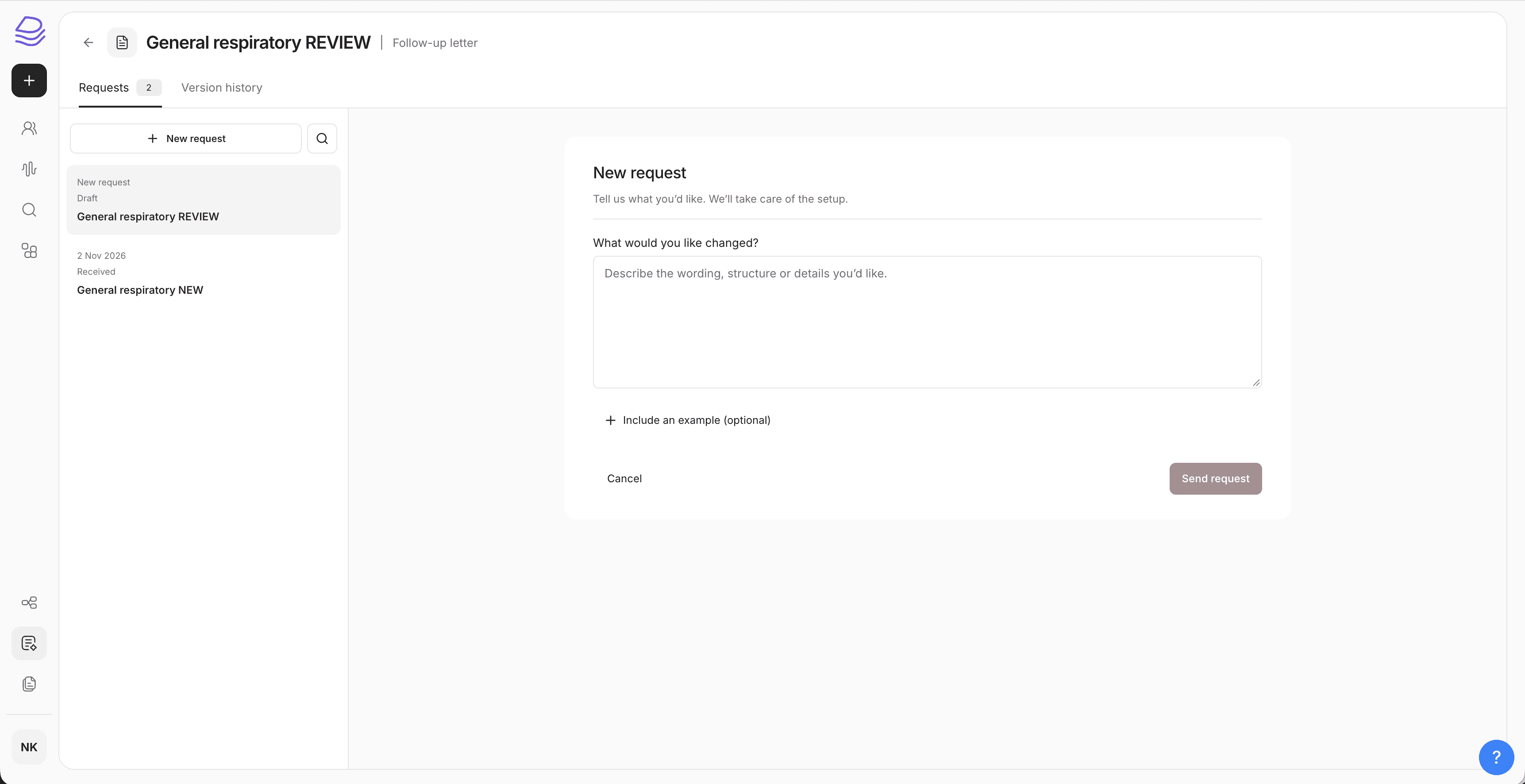
Request a template or a change
Describe the structure, wording or detail you want and include an example PDF or Word document. Follow the request in Dorsum, review proposed changes and return to earlier template versions.
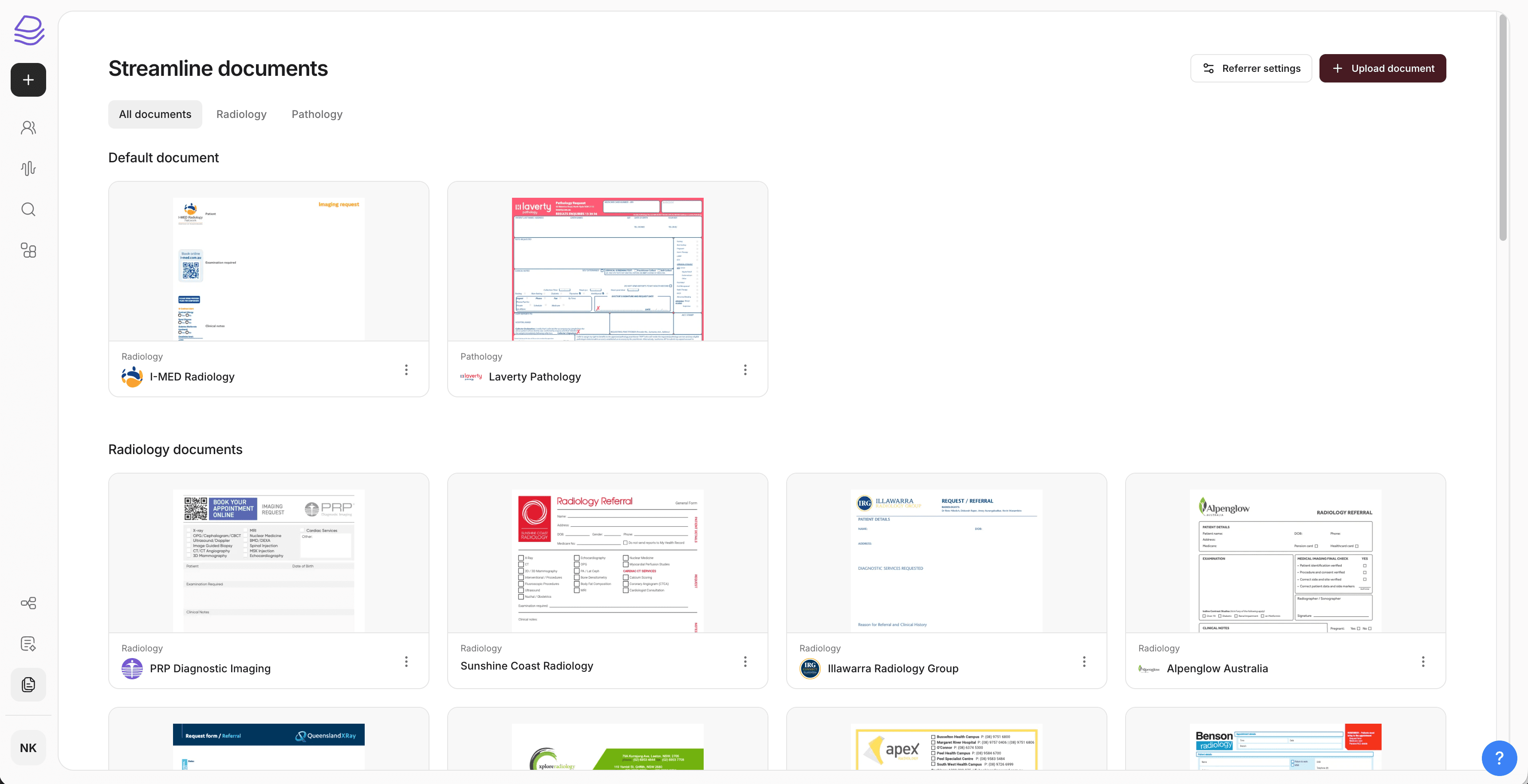
Forms and investigation requests
Keep your radiology and pathology request forms together in Streamline documents. Choose defaults, check your referrer details or upload a blank form for the team to prepare.
Prepare a request, review its contents and download the PDF. Electronic requests are available through supported providers configured for your practice. Preparing a form does not send it automatically.
Help within Dorsum
Select ? to send the team a message, open a guide or see product updates. You can also email support@dorsum.ai for help with setup, templates or a step that is not working.
If you are getting used to the workspace, start with the first-use guide. It follows the same route as the app tour, from opening a consultation to reviewing and saving your documents.