Summary
The standard integration runs in your browser. You do not need an extension or Dorsum Connect to record consultations and save notes and letters. External investigations have separate provider and, where required, Connect setup.
Have these ready
- A Dorsum account for each clinician who will use the integration.
- An active MediRecords API licence and access to enable the Dorsum Add-on.
- Your practice’s API key and FHIR key, supplied by the practice administrator.
Enable Dorsum in MediRecords
Open Add-ons in MediRecords and activate Dorsum for your practice. If it is not available, ask the practice administrator to check the API licence and Add-on access.
Launch from an appointment
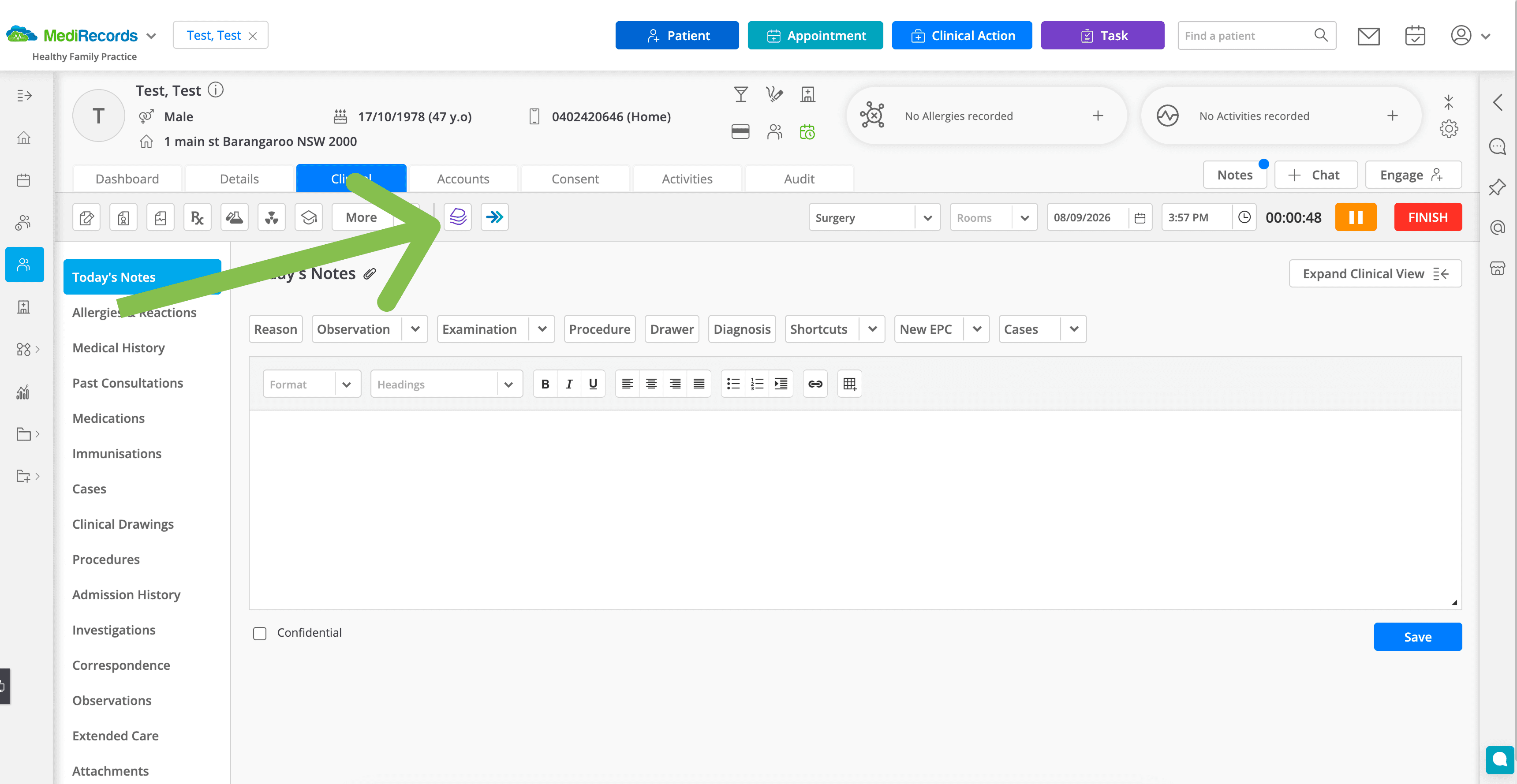
Open a test patient’s appointment
Select its Clinical tab, then choose the Dorsum icon.
Sign in to Dorsum
Use your own account and check the patient, clinician and practice details. Starting from the appointment lets Dorsum identify the practice you are connecting.
Link the practice
On first launch, open License keys and enter the practice API key and FHIR key. Follow the prompts to complete the connection.
Keys are saved once per practice. Other clinicians connect by launching Dorsum from their own appointments and signing in to their own accounts. They do not repeat the practice-key setup.
Set the usual saving options
In Dorsum, open Integrations, choose MediRecords and open Configure. Review the options for notes, letters and any other document types enabled for your practice.
These preferences set the usual behaviour. The clinician checks the selected items again when finalising each consultation. Saving a letter to Correspondence Out does not email or fax it.
Check one complete consultation
Prepare the documents
Record a short test consultation, generate the notes and letter, and review both.
Save to MediRecords
Select Finalise consultation and Save to MediRecords. Confirm the selected notes and letter, then read the result of each action.
Check the destination
Open the consultation note and Correspondence Out in MediRecords to confirm the documents arrived. Have another clinician repeat the appointment launch if the practice has several users.
If you cannot connect
For account linking or connection help, select ? in Dorsum or email support@dorsum.ai. For the MediRecords API licence or Add-on access, contact the practice administrator or MediRecords support.