Summary
A template should give you a useful first draft in a familiar format. In Dorsum, you can choose a starting template, adjust its available settings and ask the team for changes that need more work.
Start with a document you already use
Choose the closest template for your note or letter. Compare its headings and order with a typical document from your practice. An initial assessment may need a fuller history; a follow-up letter may only need the changes since the last visit.
Describe the changes you want repeated
Set which sections use paragraphs or lists, how much detail you want and where key information belongs. Keep these instructions about your usual style; add information about the current patient in the consultation.
For example: “Start with a short summary, keep investigations in their own section and finish with the plan.”
Send an example when it is easier to show
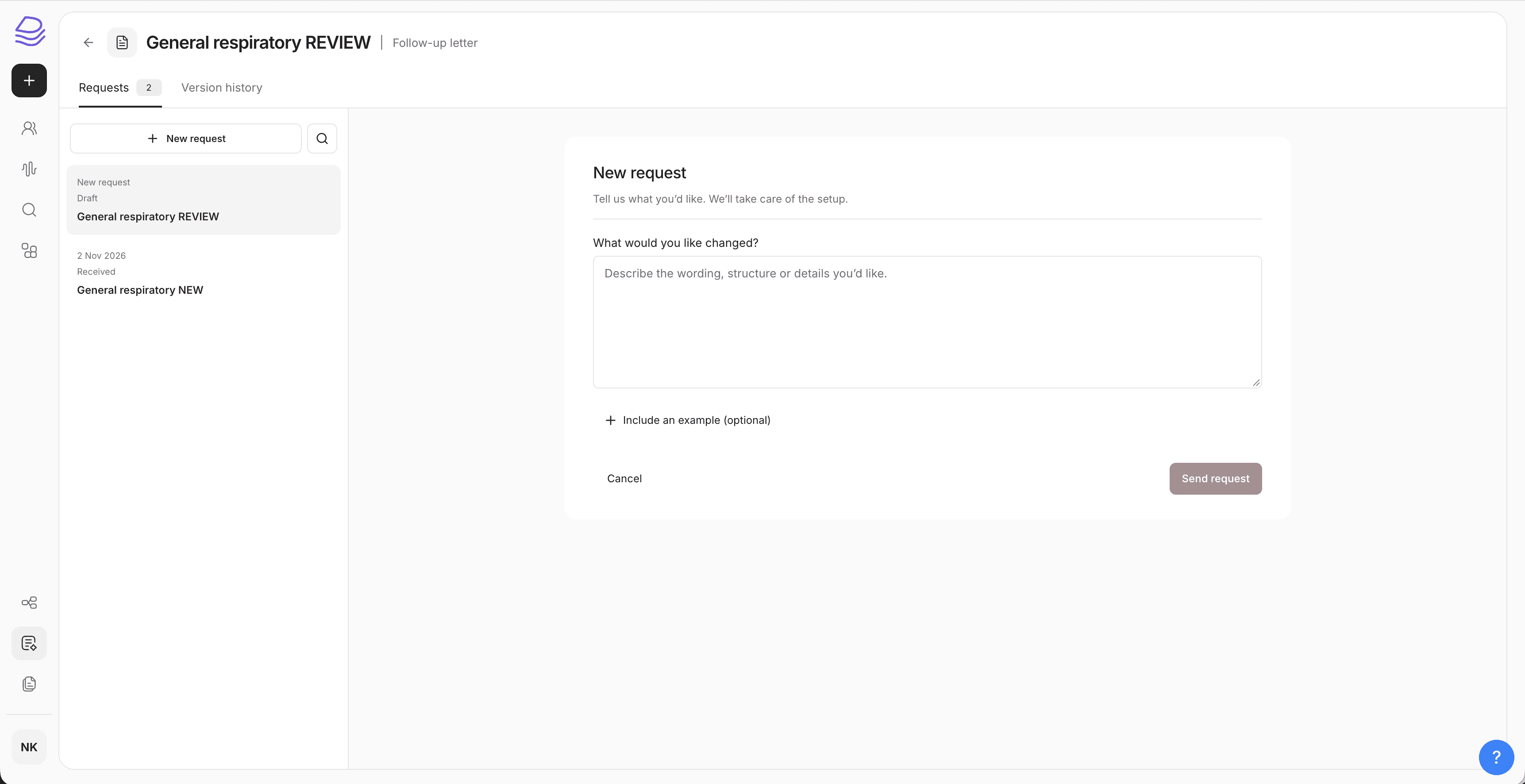
Open a template request in Dorsum, describe what you want changed and attach a de-identified PDF or Word example. Point out the parts you want matched, such as the opening, headings or closing.
You can follow the request and review the proposed changes in Dorsum.
Try it on the next draft
Generate a sample document and check whether the changes give you the result you wanted. If a section is still too long or a heading is wrong, refine that specific instruction.
Keep reviewing the clinical content of each draft before saving or sending it. The template sets the format; the final document still reflects your review of the consultation.